Building Clementine in Pure Rust and Win32: A 7.5 MB Windows Counterpart to Tangerine for Mac

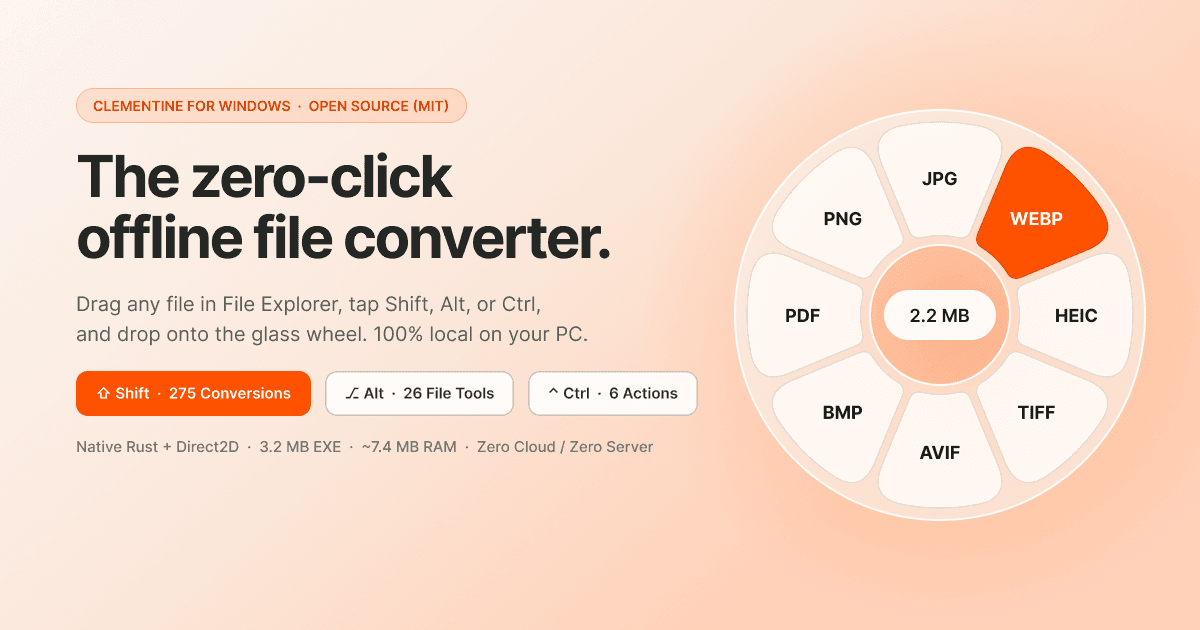
Tangerine for Mac is one of those tools you want the moment you see it: drag a file, a radial wheel blooms under the cursor, drop it on a petal and the conversion is done. No dialogs, no upload site, no format dropdown. The catch is that it costs $29.99, caps the trial at 20 files, and only runs on macOS. I live on Windows, and nothing there felt that fast, so I decided to build the equivalent myself and make it free and MIT licensed. That became Clementine.
The first decision was what not to use. A tray utility that hooks your drags has to be running all day, which makes memory its main cost. Electron and Tauri apps routinely sit at 120+ MB of RAM before they do anything, because a whole browser engine is parked in the background. For a wheel that appears for two seconds at a time, that is the wrong trade. So Clementine has no framework at all, just Rust on windows-sys talking straight to Win32.
The renderer is the fun part. The wheel is a layered window created with CreateWindowExW and WS_EX_LAYERED, backed by a CreateDIBSection bitmap holding premultiplied BGRA pixels, and pushed to the screen with UpdateLayeredWindow. Every shape is drawn analytically with signed distance fields: the petals, the rounded boxes, and even the icons, rendered at 4x and averaged down for clean edges. For the frosted look, I grab the screen behind the wheel with BitBlt, run a separable Gaussian blur with a radius of 16, and boost saturation by 1.45x. All of it is software rendered, no GPU, and the working set stays around 7.5 MB, about 16x lighter than the Electron version of the same idea.
Two Win32 bugs cost me the most time. The first was input stalling. Low-level WH_MOUSE_LL and WH_KEYBOARD_LL hooks must return fast, and the moment a modal dialog opened on the same thread, Windows started timing the hooks out and the whole system mouse felt laggy. The fix was to move the hooks to a dedicated background thread with its own message pump, and send events to the UI thread through a channel. The hooks never wait on anything the UI does.
The second bug was sneakier. Windows OLE DoDragDrop decides where a drop lands using WindowFromPoint, and that call looks straight through fully transparent pixels. My wheel has a big empty hole in the center, and dropping a file there sent it to whatever app was underneath. The trick is to paint the hole with 0x01000000, which is alpha 1 out of 255. A human cannot see it, but the pixel is no longer transparent, so WindowFromPoint hits my window and the IDropTarget receives the file. It is a one-bit fix for a bug that looked impossible to solve cleanly, and it only applies inside r <= 126px.
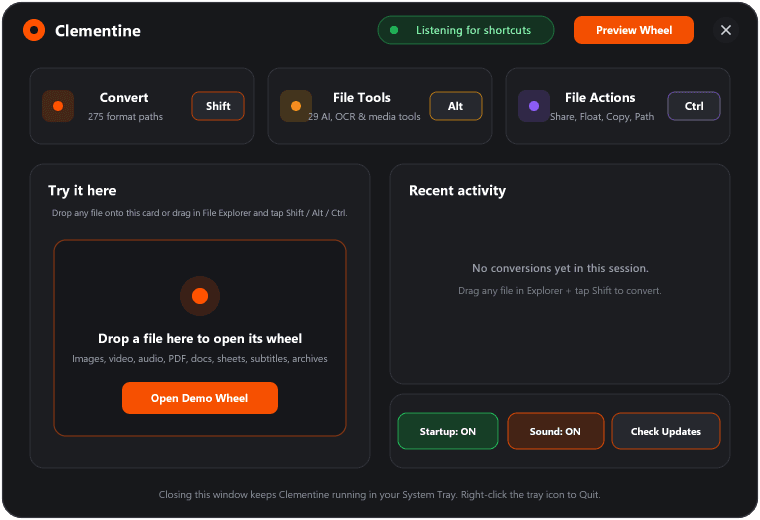
Then came the tools. Besides 275 format conversions, Clementine ships 29 studio tools, and none of them make a cloud call. Remove BG runs a pure-Rust tract-onnx pipeline with u2netp.onnx, feeding a 1x3x320x320 tensor and resizing the mask back with Lanczos3 into a clean alpha matte. There is no Python and no onnxruntime DLL to ship.
For OCR and redaction I did not bundle any models at all. Windows 10 and 11 already include Windows.Media.Ocr and Windows.Media.FaceAnalysis.FaceDetector, so Clementine calls those over WinRT to extract text offline and to blur faces and text automatically. Video tools use FFmpeg with image2pipe to pull a real 7-tile filmstrip from a clip, and a hand-written FlateDecode parser handles PDF streams so those convert without extra dependencies.
I built Clementine for the WeMakeDevs x Wispr Flow Challenge, and it took the $100 daily prize, which was a great surprise. The installer, Clementine-Setup.exe, is open source on GitHub with a Releases auto-updater built in.
The biggest lesson was how far you get by using the platform instead of fighting it. Windows already has OCR, face detection, drag and drop, and a software compositor in the box. Once I stopped reaching for a framework, the app got smaller, faster, and easier to reason about. If you want to try it or read the source, the repo and site are linked from the project page.